Main navigation

Translate page Translate
  • Home
  • How to vote
    • Register to vote
    • Voter ID
    • Ways to vote
    • Why vote?
  • Our work
    • London Voter Registration Week
    • Voter ID campaign
    • Impartiality and governance
    • Reports and research
    • GLA democratic participation grants
  • Resources
    • Civic and democratic participation
    • Voter Registration
    • Voter ID
    • Political and media literacy
    • BSL and Easy Read
  • Blog
  • Contact us

Breadcrumb

  1. Home
  2. Resources
  3. How to take a VAC photo (A4 bleed)

How to take a VAC photo (A4 bleed)

English
Posters
A4 (with bleed)
How to take the VAC photo - A4 (bleed).pdf
pdf3.24 MB
Download
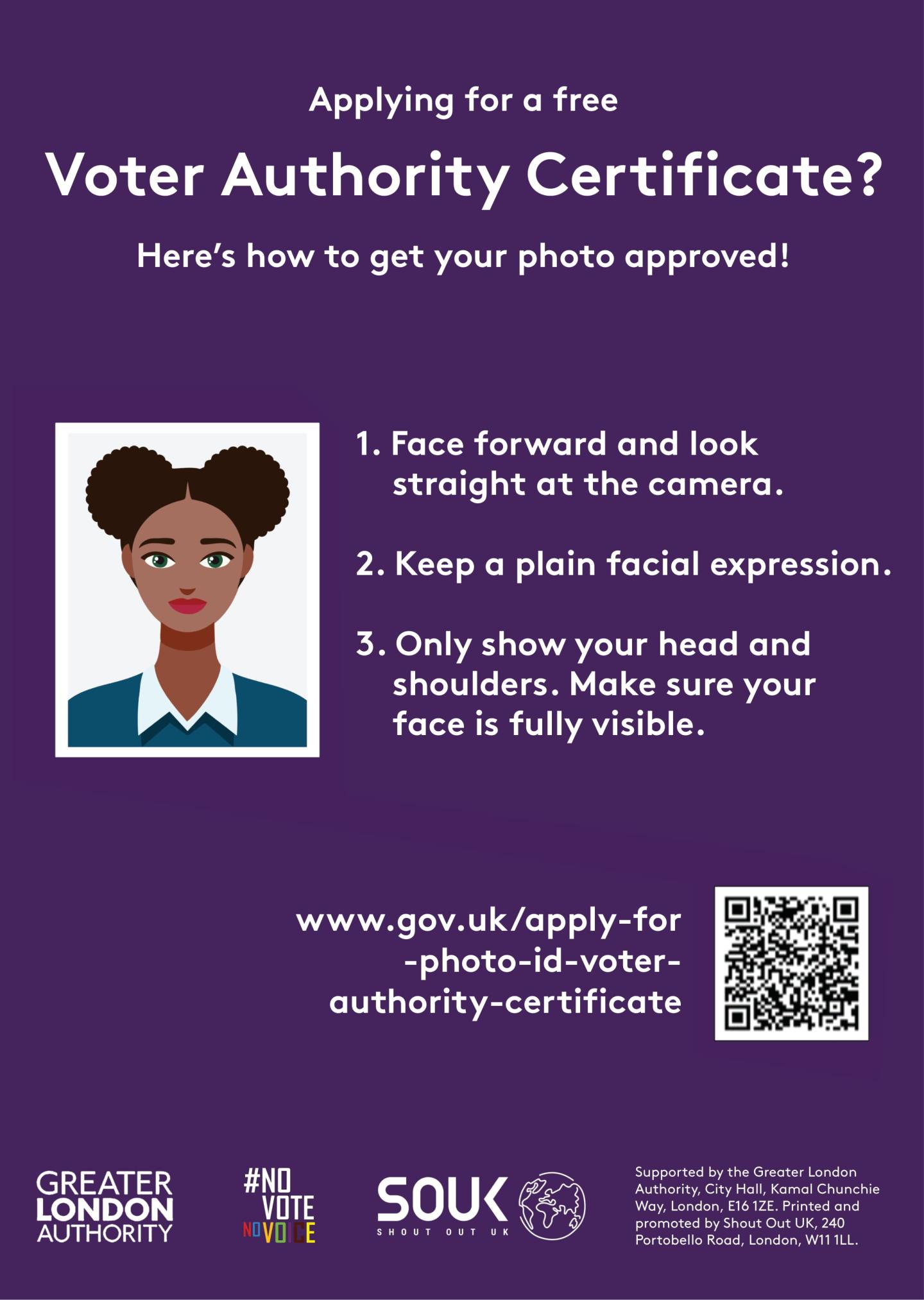
A cartoon style passport photo image. The text states “Here’s how to get your photo approved” for a free Voter Authority Certificate. “1. Face forward and look at the camera, 2. Keep a plain facial expression, 3. Only show your head and shoulders. Make sure your face is fully visible”.

How to take a VAC photo (A3 bleed)

Voter Registration
English
Posters
A3 (with bleed)

How to take a VAC photo - Facebook

Voter Registration
English
Facebook resources
General image

How to take a VAC photo - Instagram Square

Voter Registration
English
Instagram resources
Square

How to take a VAC photo - Instagram Story

Voter Registration
English
Instagram resources
Story

How to take a VAC photo - X (Twitter)

Voter Registration
English
X (Twitter) resources
General image

GLA Democracy Hub

City Hall, Kamal Chunchie Way, 
London, E16 1ZE

[email protected]

Footer Column 1

  • Accessibility statement
  • Privacy and cookie policy
  • Terms and conditions

Footer Column 2

  • BSL and Easy Read resources
  • Free Voter Authority Certificate
  • How to vote
  • Impartiality toolkit
  • Register to vote anonymously
  • Voting at a polling station

Footer Column 3

  • Blog
  • Contact us
  • Our partners
  • Our work
  • Resources

Connect with us

Translation disclaimer